
Education
Building Trusted Learning Ecosystems in Moodle That Are Ready for What's Next
How Moodle Marketplace and Certified Integrations make it easier for institutions to find trusted solutions and build more inclusive learning experiences.
April 29, 2025
Are your e-learning tools compliant with the new Title II web rule? Find out what you need to do.
Title II of the Americans with Disabilities Act (opens in a new tab) (ADA) requires state and local governments, including public education systems, to make their services accessible. While ADA requirements have always covered digital channels like websites, apps, and learning platforms, details on compliance for these technologies weren’t always clear.
On April 24, 2024, that changed.
The Department of Justice published a new rule (opens in a new tab) providing specific requirements for web accessibility under Title II of the ADA.
The updated regulation will help public educators provide digital services to every student, including people with disabilities, who may have been previously left behind by inaccessible design.
For example, prior to the 2024 rule, Title II was silent on the issue of keyboard control for websites. People with motor disabilities might navigate websites via keyboard instead of using a mouse. If your site isn’t designed to support keyboard navigation, these users won’t be able to access the information you post. That’s just one of many omissions that the Title II web rule now addresses.
Here’s what teachers and administrators in public education need to know about the 2024 web accessibility rule for the ADA Title II.
The latest Title II changes are particularly impactful for public education systems at every level (K-12, community college, state universities, etc.)
In the 2022-23 school year, 7% of K-12 students (opens in a new tab) in the U.S. took at least one virtual course; 3% only learned online. The same year, over half (opens in a new tab) of college students engaged in distance learning.
That’s a lot of online course content, and public educators now must ensure it all complies with the Title II web rule.
Of course, educators also use digital tools for in-person learning. These systems must also comply with Title II. The takeaway is this: If your lessons involve computers or digital devices, you need to be familiar with the Title II web rule.
Looking for accessibility tools that can help your school comply with Title II? Contact us to learn about text to speech from ReadSpeaker.
The ADA calls its specific requirements technical standards. These are the actions or design choices that those bound by the ADA must take to achieve a compliant level of accessibility.
The 2024 web accessibility rule provides these technical standards for web content and mobile apps. Essentially, the rule says, your digital services will be compliant with ADA Title II if they conform to the Level AA success criteria listed in the Web Content Accessibility Guidelines (WCAG) version 2.1.
We’ll explain what that means shortly. First, let’s look at some of the basics surrounding this rule.
Title II of the ADA is designed to improve public sector accessibility. It applies to state and local governments, as well as all their agencies, departments, and travel authorities.
As we’ve mentioned, that includes public education institutions at every level. But it also covers other government services, including:
The websites, mobile apps, and related digital services associated with any of these organizations must comply with the new ADA rule.
The web rule is intended to improve digital accessibility for individuals with disabilities, so it primarily serves people with:
While WCAG is designed to make as much content accessible, for the widest possible audience, it can’t address every need for every user. On the other hand, accessible design tends to create better user experiences for everyone, including people without disabilities. So the beneficiary pool for Title II’s web rule is quite deep.
The rule change takes effect in April 2026 for public entities with larger populations and 2027 for those with populations under 50,000.
The good news for government communications is that the Title II web rule should make your job easier, not harder. Rather than imposing onerous restrictions, Title II now provides clear guidance for web accessibility, and that sort of clarity is good for teachers and students alike.
It’s also good for the companies that provide educational technology: Vendors must provide Title II-compliant products if they wish to serve public school systems. Regulatory clarity helps these companies make informed design decisions.
But how exactly will the Title II web rule affect digital course design, ed-tech platforms, and online teaching tools? To answer that question, let’s take a closer look at WCAG 2.1.
The Web Content Accessibility Guidelines, or WCAG, are the gold standard for inclusive digital design. They’re published and maintained by the World Wide Web Consortium (opens in a new tab) (W3C), an international nonprofit that creates standards and guidelines for web content.
These web accessibility guidelines are currently on version 2.2, but the Title II web rule requires conformance with WCAG 2.1, the previous iteration. Luckily, WCAG 2.2 is backwards compatible with version 2.1.
That means conformance with WCAG 2.2 also denotes conformance with WCAG 2.1, so both versions can help you make your content reliably accessible. At any rate, the fact that Title II now requires conformance with WCAG 2.1’s AA success criteria leads to a few important questions:
With nearly 80 discrete success criteria in WCAG 2.1, we can’t discuss everything in detail here. (Check out WCAG itself (opens in a new tab) for the best information.) But luckily, the WCAG success criteria are neatly organized into the Four Principles of Web Accessibility. Looking at these gives us a strong idea of what Title II’s web rule requires.
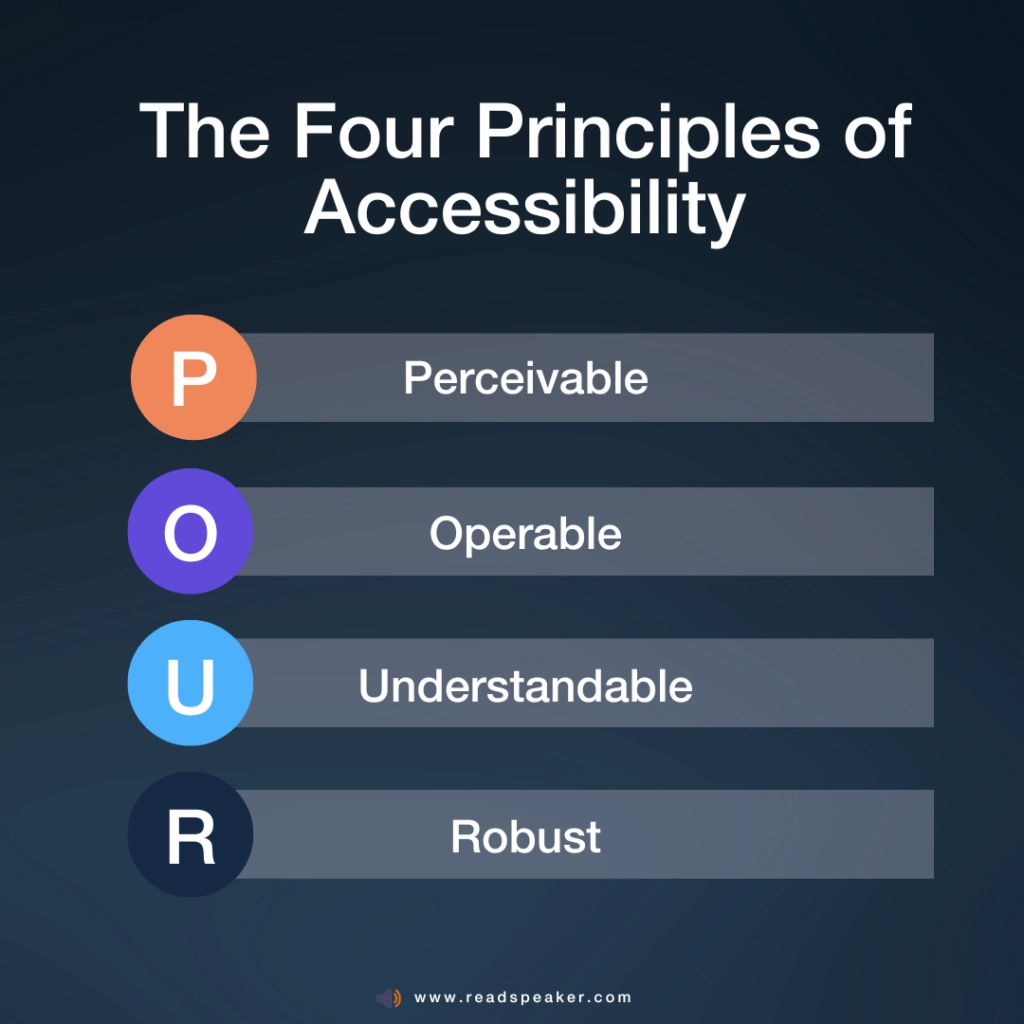
The Principles of Web Accessibility, upon which WCAG success criteria depend, are:
These principles make up an acronym: POUR. To conform with WCAG 2.1, and comply with Title II, your sites and apps must uphold the WCAG POUR principles.
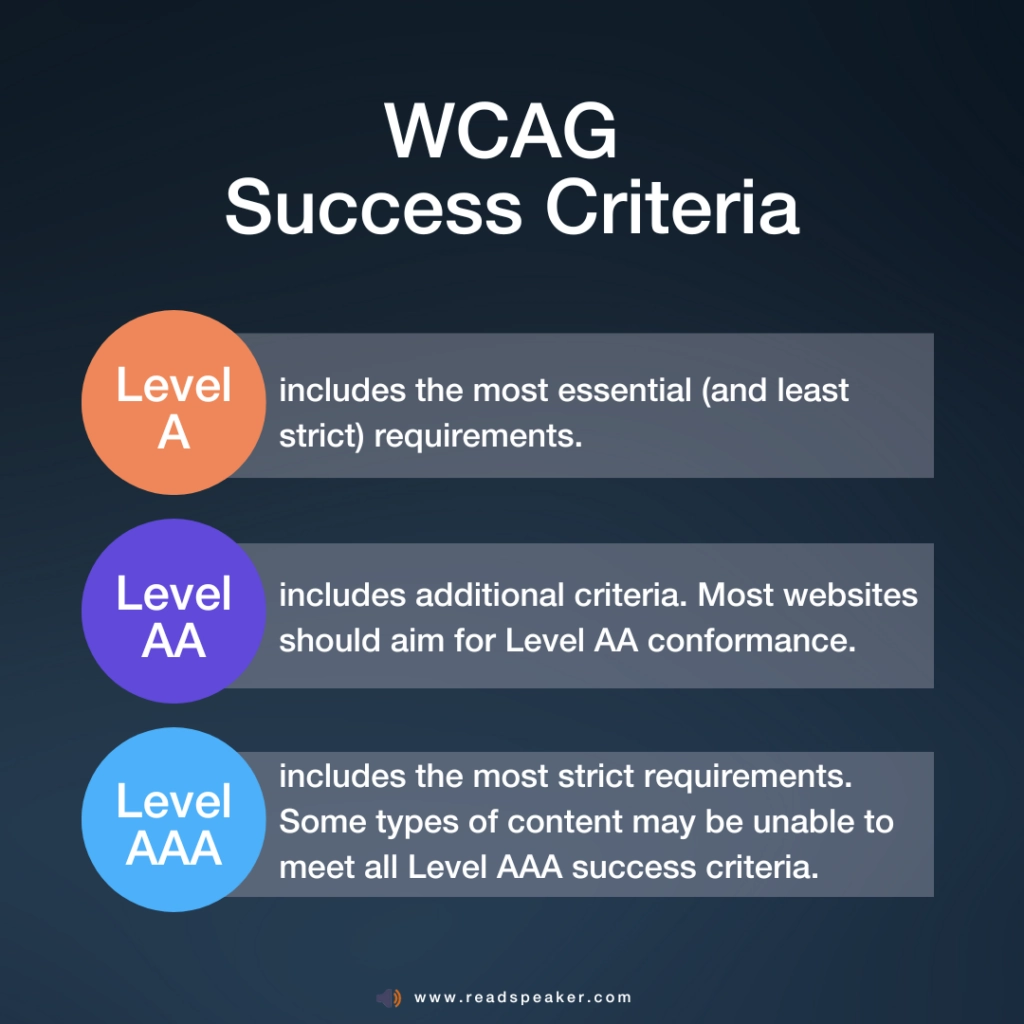
Title II’s web rule requires conformance with WCAG’s “Level AA success criteria.” To understand this term, you have to know what a success criteria is.
A WCAG success criterion is a “testable statement” that is “not technology specific,” says W3C. For example, Success Criterion 1.1.1, Non-text Content (Level A) states that “All non-text content that is presented to the user has a text alternative that serves the equivalent purpose…”
If all the images on your site have alternative text, and something similar is true for all your non-text content, your site conforms to this success criterion.
Each WCAG success criteria is classified as Level A, Level AA, or Level AAA.
Each higher level includes the lower success criteria, so conformance with Level AA requires you to meet all Level A rules, too. Lots of tools can help in this effort. Text to speech (TTS), which automatically translates written text into audible speech, is a particularly powerful example.
There’s no Level AA WCAG criteria that requires you to provide TTS on your learning platform, website, or mobile app. But that doesn’t mean TTS can’t help you comply with Title II. In fact, TTS is one of the most valuable website accessibility tools you can implement.
Here are a few ways TTS can help create more accessible e-learning websites and apps:
In other words, text to speech has always been a go-to solution for compliance with Title II of the ADA. The new web rule only increases its helpfulness.
That just leaves one question: What’s the best way to bring TTS to your public education websites, apps, and digital services?
ReadSpeaker offers a range of TTS accessibility tools that integrate seamlessly into your learning systems, including:
ReadSpeaker’s TTS tools read any digital text, including documents and e-books. Integrate a single tool into your LMS to speech-enable every course. Our TTS products also include a suite of reading, writing, and studying tools to help students succeed.
We use the latest AI technology to construct synthetic voices that sound like the real thing, with accurate pronunciation and expressive speaking styles. Choose from over 50 languages and 200 lifelike voices, or create a custom branded AI voice that your students will recognize, and therefore trust.
ReadSpeaker’s customer service team is always available to help you create more accessible education services. We offer custom pronunciation dictionaries and ongoing linguist support so you can provide the best possible learning experience for every student.
Need help complying with the ADA’s Title II web rule? Contact the TTS experts at ReadSpeaker for powerful digital accessibility tools.
Education
How Moodle Marketplace and Certified Integrations make it easier for institutions to find trusted solutions and build more inclusive learning experiences.
Education
See how ILIAS and ReadSpeaker's text-to-speech technology work together to create more flexible learning experiences, with insights from the University of Stuttgart.
Education
Over the past year, we’ve immersed ourselves in the digital assessment community, through conferences, webinars, research, podcasts, and conversations with assessment leaders. Along the way, several themes have consistently emerged. These are the ideas we believe are shaping the future of accessible digital assessment.