Education
Building Trusted Learning Ecosystems in Moodle That Are Ready for What's Next
How Moodle Marketplace and Certified Integrations make it easier for institutions to find trusted solutions and build more inclusive learning experiences.
October 8, 2025
Practical guide to accessibility in education: WCAG 2.2 AA, ATAG 2.0, POUR, a 5-step roadmap, and quick tips to improve inclusion, compliance, and student outcomes.
Accessibility is about giving equal access to everyone. United Nations (opens in a new tab)
Accessibility in Education refers to creating an environment where all students, regardless of their abilities or disabilities, can access educational content and participate fully in learning experiences.
This is significant because it ensures that every student has an equal opportunity to succeed. Globally, about 16% of people experience a significant disability (WHO (opens in a new tab)).
In UK higher education, 17.3% of students report a disability (HESA), yet 70% of UK employees with disabilities haven’t disclosed (IOSH (opens in a new tab))to their employer. Across the EU, 27% of adults 16+ live with some form of disability (EC).
Accessibility legislation plays a crucial role in mandating that educational institutions adhere to standards that make learning inclusive for everyone.
Understanding the impact of accessibility legislation in education is vital for those managing Learning Management Systems (LMS) in educational institutions.
This blog post will provide insights into how such legislation fosters a more inclusive and competitive educational environment.
By the end, you’ll gain confidence in knowing that accessibility not only supports diverse learners but also enhances overall learning outcomes.
Accessibility in education means every student, regardless of ability or disability, can fully engage with content and participate in learning. These numbers show that inclusion isn’t optional: it’s essential.
Educational institutions worldwide are required to meet accessibility standards.
Across all global Accessibility Legislation, there are two key recurring requirements: the WCAG 2.2 AA guidelines and the Authoring Tool Accessibility Guidelines (ATAG 2.0).
Key regulations include:
WCAG 2.2 AA is a standard for web content accessibility, focusing on how websites and apps are presented to people with disabilities.
In contrast, ATAG 2.0 (Authoring Tool Accessibility Guidelines) is a standard for authoring tools themselves, ensuring that the software used to create content supports accessibility for all users, including those with disabilities.
WCAG ensures the end product is usable, whereas ATAG ensures the tools that build the product enable accessibility.
The journey to accessibility begins with assessing and understanding your needs. Form a cross-functional team to lead the effort, conduct a thorough internal audit of existing materials and platforms, and gather feedback directly from users. This groundwork helps you set clear and achievable accessibility goals.
Next, adopt universal design principles across all course creation and delivery. Choose tools that are inherently accessible and weave universal design into every piece of content, drawing on resources such as CAST (opens in a new tab), AHEAD.ie (opens in a new tab). Wherever possible, provide alternative formats, captions for videos, transcripts for audio, and multiple media types, so that every learner can engage in the way that suits them best.
The third step is to train and educate stakeholders. Everyone involved, from administrators to content creators, should understand accessibility standards and be familiar with assistive technologies W3.org (opens in a new tab). Offer practical training and make sure staff know where to find resources and how to report issues or request support.
Once practices are in place, evaluate and improve continuously. Establish clear feedback mechanisms for students and staff, schedule regular audits, and use the data you collect to refine your approach and introduce new tools or processes where needed.
Finally, foster an inclusive culture. Bring leadership on board so accessibility is part of your institution’s values, encourage collaboration across departments, and share success stories and best practices. This commitment from the top down creates lasting change rather than one-off projects.
Assess & Understand Needs
Adopt Universal Design Principles
Train & Educate Stakeholders
Evaluate & Improve
Foster an Inclusive Culture
A strong accessibility strategy is guided by the POUR principles: Perceivable, Operable, Understandable and Robust.
Content must be perceivable, meaning information is presented in ways all users can sense, such as providing captions for videos and text descriptions for images.
It must be operable, allowing every function to be completed via keyboard or other input methods without relying solely on a mouse.
Materials should remain understandable, using clear language and predictable navigation so learners can easily follow along.
Finally, they must be robust, compatible with a wide range of assistive technologies and flexible enough to remain accessible as technology evolves.
Investing in accessibility delivers far more than legal protection.
Meeting or exceeding regulatory requirements shields your organisation from penalties, but the benefits extend to student success, with higher retention and course-completion rates.
Accessibility also strengthens your eligibility for public grants and procurement opportunities, bolsters your reputation as a leader in inclusion, and future-proofs your programs by laying the groundwork for Universal Design for Learning (UDL).
In short, accessibility is both the right thing to do and a smart strategy for long-term competitiveness.
Accessibility legislation is more than a compliance requirement: it’s a catalyst for innovation, inclusion, and better learning outcomes.
By embracing universal design, following WCAG 2.2 AA and ATAG 2.0, and fostering an inclusive culture, educational institutions not only meet legal standards but also empower every learner to thrive.
The path to accessibility is a journey, but every step strengthens your organisation and the students you serve.
If you’d like to discover how ReadSpeaker can help your institution create fully inclusive learning experiences, get in touch, and we can set up a FREE demo.
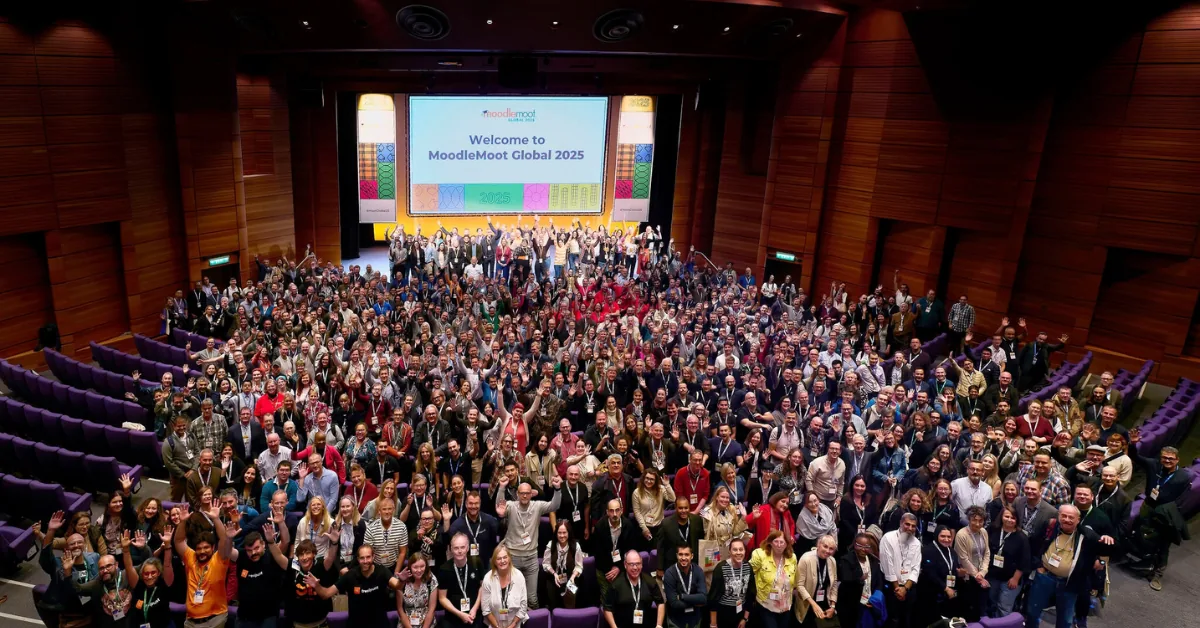
This blog was originally a presentation at MoodleMoot Global 2025 in Edinburgh, download it here (opens in a new tab).
Education
How Moodle Marketplace and Certified Integrations make it easier for institutions to find trusted solutions and build more inclusive learning experiences.
Education
See how ILIAS and ReadSpeaker's text-to-speech technology work together to create more flexible learning experiences, with insights from the University of Stuttgart.
Education
Over the past year, we’ve immersed ourselves in the digital assessment community, through conferences, webinars, research, podcasts, and conversations with assessment leaders. Along the way, several themes have consistently emerged. These are the ideas we believe are shaping the future of accessible digital assessment.