
ReadSpeaker docReader
Make your documents accessible to more people by letting your users view and listen to them on any device with no plugins required.
Contact UsThe Document-Reading Experience
Your user will see a ReadSpeaker Listen icon next to your online document link.
Clicking the Listen icon opens ReadSpeaker docReader in a new window or tab with your document ready to be listened to. Or you may embed docReader inside your webpage as shown below.
A toolbar at the top of the page enables the user to browse, read, and listen to the document.
When your user clicks the Listen button in the toolbar, the full page will be read section by section in the order defined in the document.
Hovering over a section of text enables users to click to listen to that section.
Your users can also explicitly select a section of text to be read. They can also control the layout mode, reading speed, and both text appearance and highlighting.
ReadSpeaker docReader satisfies all Level A and Level AA success criteria of the Web Content Accessibility Guidelines (WCAG) 2.2 specification. See our ReadSpeaker docReader 4.11 WCAG 2.2 AA Compliance Statement.
The ReadSpeaker docReader VPAT Accessibility Conformance Report details the full accessibility compliance level of docReader for VPAT (Voluntary Product Accessibility Template) 2.4.
Supported Document Formats
Apache OpenOffice / LibreOffice
.odp.ods.odt
Microsoft Office
.xls.xlxs.pps.ppt.pptx.doc.docx
Others
.rtf.epub.pdf
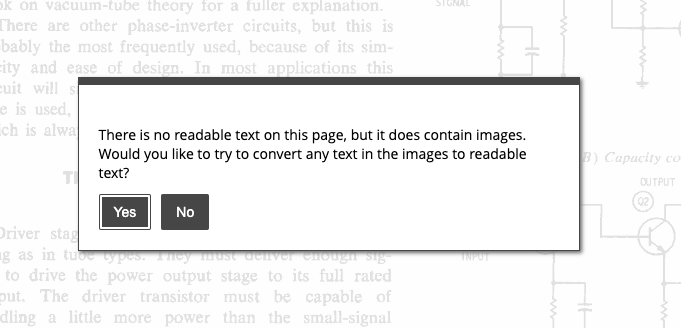
OCR Scanned Documents
Instantly convert legacy scanned paper documents, images or photographed text into rich interactive and accessible content with full audio support.
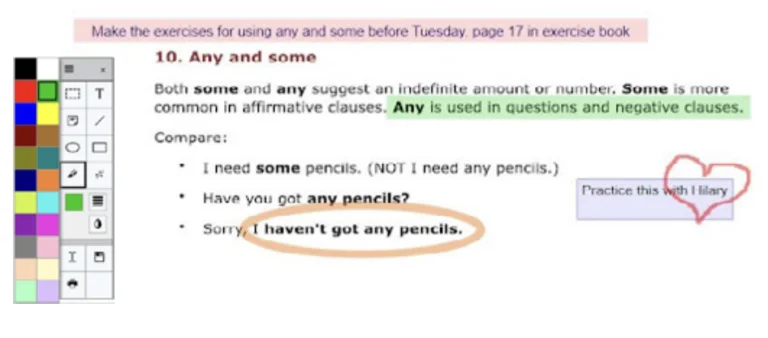
Make Your Content Interactive
Allow your users to make notes, complete assignments, draw, listen to comments and more.
Optimizing Document Viewing and Listening
Your online documents will be viewable in all browsers, even on mobile devices.
The docReader interface can now be completely customized using CSS. Add your logo and styles to create your own branded version of docReader.
It is now possible to configure the reading options available to your users, including the possibility to download the audio file of the document.
ReadSpeaker docReader has a touch-friendly user interface and HTML5 support for iOS (iPhone, iPad, iPod touch) and newer Android devices.
Users can easily navigate through the document table of contents if it exists or use thumbnail navigation to go directly to each page.
Auto-tagging of untagged PDFs: ReadSpeaker docReader will guess the structure of the document if there is no structure markup (i.e. untagged PDFs) to optimize the display of the document.

Supported Languages
Below is a list of supported user interface languages. docReader has many more reading languages. Please refer to our voices and languages page for our available text-to-speech voices.
- Arabic
- Catalan
- Chinese
- Danish
- Dutch
- English
- Finnish
- French
- Galician
- German
- Italian
- Japanese
- Norwegian (Bokmål)
- Polish
- Portuguese
- Russian
- Spanish
- Swedish
- See all languages
Try It Out
Click the ReadSpeaker docReader Listen icon next to any document link on this site or click the Listen button below to listen to the following document.
Find Out More About ReadSpeaker docReader
 ReadSpeaker docReader (opens in ReadSpeaker docReader)
Our Other Text To Speech Online Solutions
Add speech to your website & apps to make your content available to a larger audience.


